
Differences between USB 3.0, USB 4 and Thunderbolt 3, Thunderbolt 4
Thunderbolt 4 and USB 4, which are similar in many aspects in today's technology, are much more advanced compared to their previous generations, Thunderbolt 3 and USB 3.0.

Thunderbolt 4 and USB 4, which are similar in many aspects in today's technology, are much more advanced compared to their previous generations, Thunderbolt 3 and USB 3.0.
Similar to today's technology in many ways Thunderbolt 4 And USB 4, previous generations Thunderbolt 3 And USB 3.0Much newer technologies compared to . Apart from some specific differences, Thunderbolt 4 and USB 4 USB-C They use connectors. Accordingly, both technologies are different in terms of data transfer speed. 40GB/second It is located in the dam.
When we return to the history of these two technologies that have inevitably entered our lives, the similarity mentioned above gives way to differences. There are some elements that are expected to be seen in the new generation versions but cannot be seen and that also surprise the users.
What is USB 3.0?

USB 3.0, which was introduced to our lives and the world of technology by Intel in 2007, promised faster data transfer compared to its previous version, USB 2.0. USB 3.0 offers a speed difference of approximately 10 times compared to the previous version, and in addition, it consumes less power. With these two main differences “What is USB 3.0?Another factor that distinguishes USB 3.0 from other versions is that its inputs are blue. While USB 2.0 is called Hi-Speed in the technology world, USB 3.0's name is superspeed It is known as.
What is USB 4?

USB 4, which will enter our lives using Thunderbolt 3 technology, promises twice the data transfer speed of USB 3.2 Gen 2 × 2, the latest version of USB 3.2. USB 3.0Unlike , USB 4 offers up to 100 W power, support for two 4K or one 5K displays and an external graphics card. Along with all this, it will also be compatible with USB 4, USB 3.2 and 2.0. USB 4, which will be smooth in terms of compatibility as it will use Thunderbolt 3 technology, will be welcomed with excitement by manufacturers.
What is Thunderbolt 3?

Thunderbolt 3, whose name you are familiar with from the lines above, is known as a data transfer technology developed by Intel. It aroused curiosity in the technology world with its speed after its introduction. Thunderbolt 3 supports 25,000 photos and 14 hours of HD footage. in less than 1 minute can copy. We have frequently witnessed other manufacturers using Thunderbolt 3, which is actively used by Apple. One of the main reasons why the usage rate was not higher was that computer manufacturers had to pay licensing fees to Intel.
What is Thunderbolt 4?

Thunderbolt 4, which promises high security as well as high speed, will be 4 times faster than USB 3.2 Gen 2 × 2. Two 4K or one 8K display support A clear date has not been announced for the launch of Thunderbolt 4, which will also include. However, it is still possible that Thunderbolt 4 will be seen in the laptops that manufacturers participating in the program called Project Athena will release at the end of 2020. Just as USB 4 is compatible with USB 3.2 and 2.0, Thunderbolt 4 will be compatible with Thunderbolt 3.
Differences between USB and Thunderbolt:
- speed experience
- Image transfer
- Collaborative principle
- Logo
Speed experience:

The winner of the two technologies in terms of speed, whose only difference in appearance is the logo, is Thunderbolt. of USB With Type C version Thunderbolt, which seems to be much faster in comparison, has managed to make a name for itself in all its versions.
Image transfer:

Thunderbolt, which is much more successful than USB in 4K image transfer, also stands out in this area. Thunderbolt 4, two 4K and it includes one 8K display support. This means great comfort for users, as in previous versions.
Common working principle:
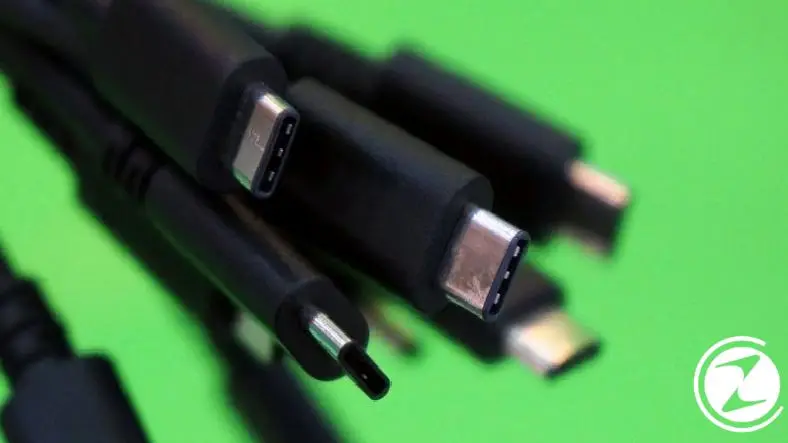
Although the two technologies are similar because they use a USB-C connector, there is a difference in the working principle. While Thunderbolt 3 can work with a USB port, we cannot see USB doing the same for Thunderbolt. This brings Thunderbolt to the current generation. one of the highlights becomes one.
Logo:

Thunderbolt and USB, which work on the same connector, may seem exactly the same at first glance. Because the only difference in terms of design is revealed in the logo part. Thunderbolt as a logo lightning icon While USB uses the standard logo that we are all used to.
It will offer great convenience for manufacturers and users with its new generation versions. Thunderbolt and USB entered the agenda even faster with USB 4's use of Thunderbolt 3 technology. Although clear information about the launch date has not yet been heard, it is known that Intel sent developer kits to manufacturers for Thunderbolt 4. Don't forget to follow us to avoid missing current developments on the subject!
Every business is unique. Let’s explore how we can tailor these ideas to your own digital project.


