
How to Clean a Game Controller Covered in Dirt and Rust?
Gaming has become one of the best ways to pass the time during this long period of social isolation. Of course, this is what helps us play the game...

Gaming has become one of the best ways to pass the time during this long period of social isolation. Of course, this is what helps us play the game...
Gaming has become one of the best ways to pass the time during this long period of social isolation. Of course, this is what helps us play the game. joystick, which means it also causes the gamepad to get dirty. Because while playing the game, you can eat a snack or pick up the game handle after touching a dirty surface.
joystick The only reason for pollution is not greasy fingers, but dust that falls on the joystick during the day or dust that sticks to the joystick when someone else holds it. germs It can also happen. For this reason cleaning the joystick You need to pay attention to it, so we explain in detail how to clean the joystick.

(Let us remind you before moving on to our guide: Nintendo and Xbox do not recommend using liquids to clean any of their products. does not recommend. Although Playstation Even though there is no such warning, there are similar dangers, therefore, especially when applying optional steps. It is your responsibility remember.)
Materials you need to clean the joystick:
- Toothpick
- Cotton swab or toothbrush
- Lint-free cloth or cotton
- Water (optional)
- Dish detergent (optional)
- Disinfectant wipes (optional)
- Spray can (optional)
How to clean the joystick?
- Step #1: Turn off the joystick, remove any cables and remove its accessories.
- Step #2: Use the toothpick to remove any debris from corners and recesses.
- Step #3: Use the cotton swab or toothbrush to remove debris and crumbs from the body and keys.
- Step #4: For a more thorough cleaning, use a cloth cloth.
- Step #5: Gently mix the dish soap and water. (Optional)
- Step #6: Dip one end of the cotton swab into the mixture and pour the rest into the spray can. (Optional)
- Step #7: Carefully use the cotton swab dipped in the mixture, repeating steps 3 and 4. (Optional)
- Step #8: Dry the areas where you applied the cotton swab with a dry cloth. (Optional)
Step #1: Turn off the joystick, remove any cables and remove its accessories.
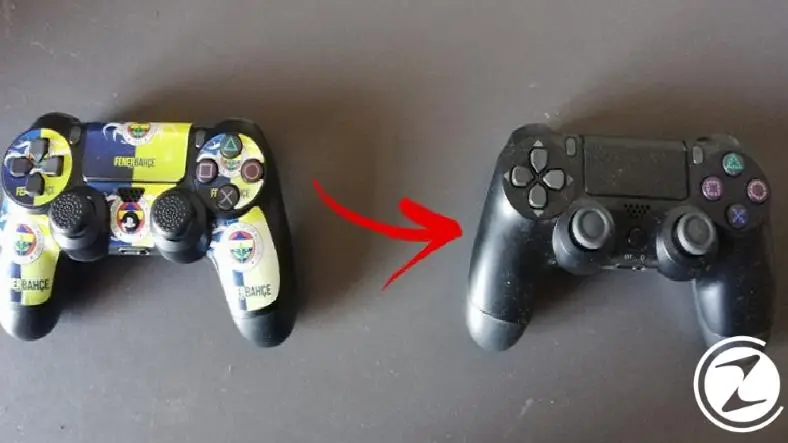
This step joystick The most important step you need to take to prevent spoilage. Do not confuse turning off the joystick with sleeping, make sure you turn it off. If you have a Nintendo Switch controller, do not forget to remove the game cassette and both controllers from the sides.
Step #2: Use the toothpick to remove all the debris from the corners and recesses.

Take a toothpick and joystick Drag it across all the spaces on it, that is, all the little recesses and openings. Be careful to remove any debris from the recesses between the keys and the panel. Don't forget to clean between the analog keys and RL triggers.
Step #3: Use Q-tip or toothbrush to remove debris and crumbs from the body and keys.

joystick Gently remove any residue and dirt from the body and keys using cotton swabs or a dry toothbrush. If you press too hard with a toothbrush, you may scratch it. Also, do not forget to clean the charging and headphone jacks when using earwax.
Step #4: For a more thorough cleaning, use a cloth or fiber cloth.

After receiving the details joystick Wipe the front and back with a lint-free cloth or fiber cloth without damaging the analogues. If you still don't think the joystick is clean enough, continue with the optional steps.
Step #5: Gently mix the dish soap and water. (Optional)

If residue and dirt still remain, mix a small amount of dishwashing detergent and a small amount of water. Try to avoid over-foaming this mixture while mixing it. (If you have the disinfectant wipes we provide in the 'what you need' section, you can skip this step.)
Step #6: Dip one end of the earwax into the mixture and pour the rest into the spray can. (Optional)

Squeeze out the excess detergent absorbed by the earwax and pour it back into the bowl. Gently spray the detergent you poured into the spray can onto the cloth, making sure it is damp, not wet. (If you are using a disinfectant cloth, you can skip this step.)
Step #7: Use the cotton swab soaked in the mixture and the detergent cloth carefully repeating steps 3 and 4. (Optional)

Let's remind again: Nintendo And Xbox Do not use liquid when cleaning products. does not recommend. Remember that the responsibility lies with you.
Step #8: Dry the areas where you applied the cotton swab with a dry cloth. (Optional)

Dry the game controller thoroughly using a non-wet cloth and make sure it is completely dry.
Thus How to clean the joystick We have come to the end of our content in which we answered the question. Please do not forget to follow our site to be informed about this and many other useful contents and guides covering games, science and general technology problems and to express your thoughts / suggestions in the comments section below. You can also subscribe to our official Telegram channel here.
Every business is unique. Let’s explore how we can tailor these ideas to your own digital project.


