
How to Transfer Images Wirelessly from PC to TV?
Especially computer users who have a small screen or monitor need a much larger screen while watching movies or playing games.

Especially computer users who have a small screen or monitor need a much larger screen while watching movies or playing games.
Computer users, especially those with a small screen or monitor, want to use a much larger screen while watching movies or playing games. Wireless image transfer from PC to TV They want to implement the process. Mirroring the computer screen on the television, wireless image transfer It is not as successful as the process and causes image loss.
Alright, How to transfer images wirelessly from PC to TV? There are several different devices you can use for this process. Thanks to these devices, where you can find models suitable for every budget, you can transfer images wirelessly from PC to TV without any problems. for you Wireless image transfer from PC to TV We answered the question of how the process is done and explained the devices you can use.
How to transfer images wirelessly from PC to TV?
Wireless image transfer with wireless HDMI kits:
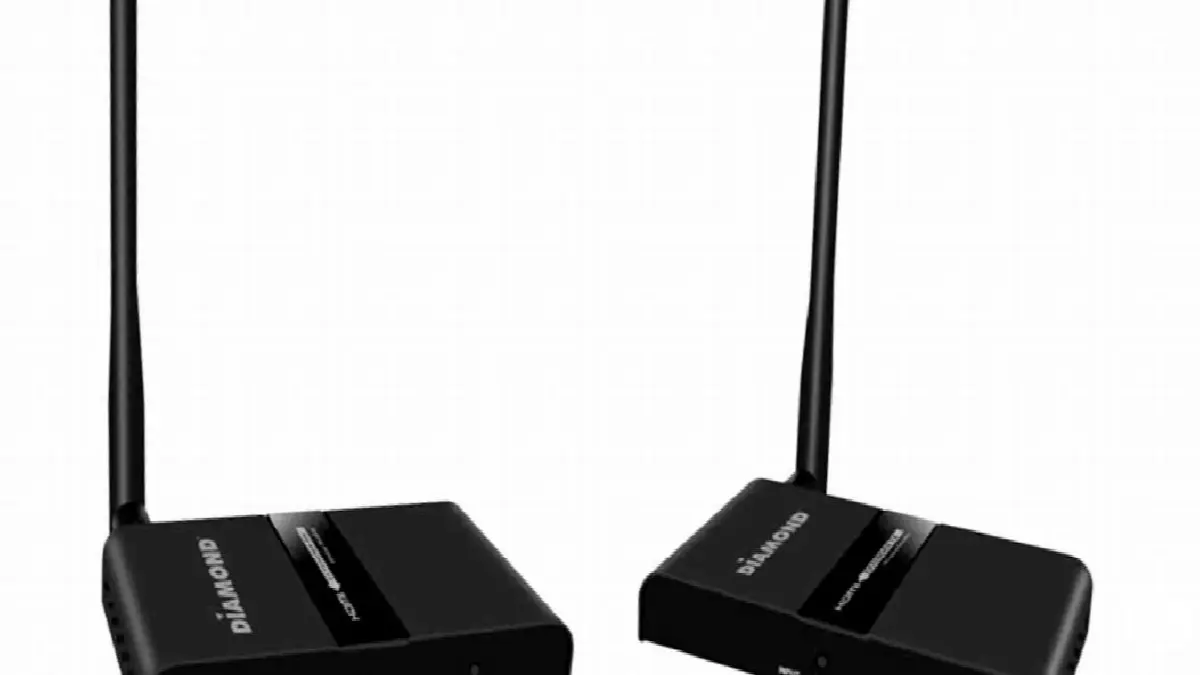
Wireless HDMI kits are devices that allow you to transfer images between a computer and television without the need for any connection. on the market for many different budgets It has a wireless HDMI kit. Among these, you can perform wireless image transfer by choosing the model that is most suitable for you.
To transfer images wirelessly with the wireless HDMI kit, you need a computer and a television with HDMI input. If your devices if you bought it within the last ten years You don't need to worry about this. Because all devices released in recent years are offered to the user as HDMI compatible.
Wireless HDMI kits offer an average range of 30 meters. Wireless image transfer between devices within this range You can do it without any problems. Of course, the closer the distance, the more successful the result will be as a result of wireless image transfer.
Wireless image transfer with Google Chromecast:

Google Chromecast is a device that can connect new generation smart devices and all televisions with HDMI input. quite small in size After connecting Google Chromecast to your television Then you can easily control it with your Mac and Windows computers or iOS and Android devices.
To transfer images wirelessly with Google Chromecast, connect Google Chromecast and the device you want to transfer images to. It must be connected to the same network. After connecting to the same network, you can pair with Google Chromecast, which becomes active as soon as the TV is turned on, and perform wireless image transfer.
You can currently find the Google Chromecast 3rd generation model on the market. Google Chromecast 3rd generation It offers a much more advanced connection service. You can buy Google Chromecast with varying discounts and price advantages in different technology stores and websites.
Wireless image transfer with game consoles:

Another device you can use to transfer images wirelessly from PC to TV is a game console. It doesn't matter which brand it belongs to. The only important thing you need to pay attention to for wireless image transfer with game consoles is that it is one of the new models.
You can transfer images wirelessly via game consoles such as Steam Link, Microsoft Xbox, Sony Playstation. As with Google Chromecast, here too The most important point you should pay attention to is, The console and the computer you want to transfer images to are connected to the same network.
Using this method according to the power of your game console to multiple devices It is also possible to transfer images wirelessly. Before purchasing, you can find out whether the computer and console are suitable for such a process by visiting the manufacturers' websites or by consulting authorized technical services.
Wireless image transfer via mirroring method:

Wireless image transfer using the mirroring method is the most frequently preferred and does not require any additional devices It is a method, but it does not always give successful results. Because the image projected directly from the computer to the television is, as the name suggests, a projection and may cause a loss of image quality.
Especially by wirelessly transferring images from computer to television Users who want to play games, They will not be pleased with the lags or late reflections that occur as a result of the reflection method. But it is still a workable method.
After opening the mirroring screen on your computer, find the TV you are connected to the same network and Click on the mirror button. After choosing one of the mirroring types, your computer screen will be reflected on the television in a short time. It is an easy and inexpensive method to apply.
for you How to transfer images wirelessly from PC to TV We answered the question and explained the different devices you can use for this process. You can easily transfer images from a computer to a television by choosing a device that suits your purpose and budget.
Every business is unique. Let’s explore how we can tailor these ideas to your own digital project.


