
macOS Catalina 10.15.5 Update Released
Apple officially released version 10.15.5 of its new operating system, macOS Catalina, which it introduced to users in October last year. Two…

Apple officially released version 10.15.5 of its new operating system, macOS Catalina, which it introduced to users in October last year. Two…
Apple introduced its new operating system to users in October last year. version 10.15.5 of macOS Catalina officially released today. The update, which finally appeared in its stable version after a two-month beta period, is a new feature designed to reduce wear and extend the life of MacBook batteries. Battery Health Management contains the feature.
No matter how careful you are, the batteries of the electronic devices you use wear out after a while. This causes charging capacity to decrease over the years. According to Apple battery life, directly related to its chemical age. Stating that usage time is not the only factor affecting battery life, the Cupertino company emphasizes that different factors such as the number of charging cycles and maintenance also affect battery performance.
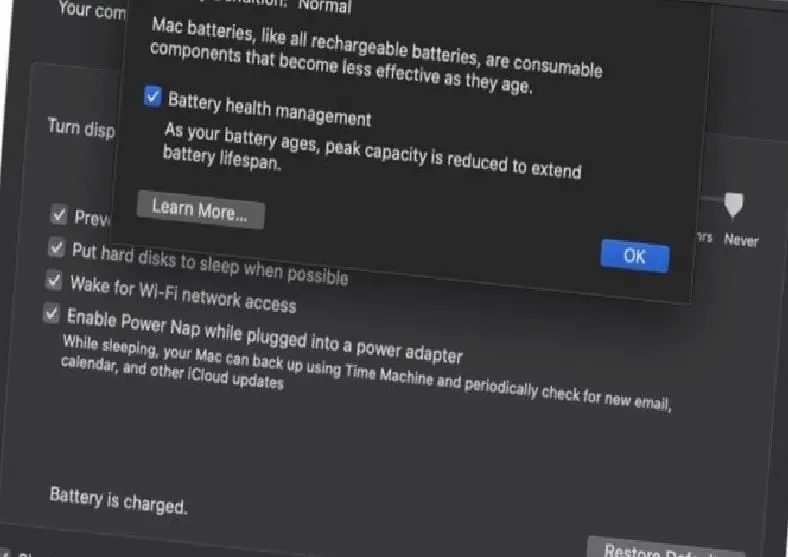
Built in macOS Catalina 10.15.5 Battery Health Management, users daily charging routines It aims to extend the life of MacBook batteries by monitoring If the feature detects that the laptop is mostly plugged in and running at full capacity, it will prevent the battery from charging to 100 percent to extend its life.
As you know, constantly charging a MacBook directly affects battery life. apple, Catalina 10.15.5 It aims to shorten charging time and protect battery health with the Battery Health Management feature introduced in its update.

The feature in question will be on by default on MacBooks updated to Catalina 10.15.5, but users can disable the feature if they wish. However, Apple warns that disabling Battery Health Management may reduce the lifespan of MacBook batteries.
MacBook users, as of today System Preferences > Software Update By following the steps, they can upgrade their laptops to Catalina 10.15.5. You can take a look at all the innovations that come with the new macOS Catalina update below.
All the innovations coming with macOS Catalina 10.15.5 update
Battery Health Management
- Battery health management to help achieve maximum battery life on Mac laptops
- The Energy Saver preference section now displays the battery status and recommends having the battery serviced if necessary
- Option to disable battery health management
Preference to Stand Out on FaceTime
- Option to control automatic highlighting in group FaceTime calls to ensure video frame sizes do not change while a participant is speaking
Fine-Tuning Calibration for Pro Display XDR
- Controls to fine-tune your Pro Display XDR's built-in calibration by adjusting white point and light intensity to more accurately match your own display calibration target
The update also includes bug fixes and other improvements
- Fixes an issue that prevented Reminders from sending notifications for recurring reminders
- Fixes an issue that prevented password entry on the login screen
- Fixes an issue where System Preferences continued to show the notification sign even after the update was installed
- Resolves an issue where the built-in camera could not be found when attempting to use the camera after using a video conferencing application
- Fixes an issue where internal speakers did not appear as an audio output device in Sound preferences for Mac computers with the Apple T2 security chip
- Fixes a stability issue with uploading and downloading media to iCloud Photo Library while your Mac is asleep
- Resolves a stability issue with transferring large amounts of data to RAID volumes
- Fixes an issue where the Reduce Motion accessibility preference did not reduce animation speed in FaceTime group calls
Every business is unique. Let’s explore how we can tailor these ideas to your own digital project.


