
Microsoft Resolved Printing Error
After Microsoft released the May 2020 update of Windows, it came up with many errors. This is what users are faced with…

After Microsoft released the May 2020 update of Windows, it came up with many errors. This is what users are faced with…
Microsoft Windows May 2020 After releasing the update, it came to the fore with many errors. Taking action upon the emergence of these problems faced by users one by one, Microsoft slowly began to heal its wounds. The company, which started to fix the errors, is now fixing one of the biggest problems: printing error resolved it.
The most notable problems that have emerged in recent days are; Office applications not opening and printing error. Occurs when users try to open Office applications 'Windows could not find the file' and when they want to print 'Print Spooler' 'closing' His mistakes bothered many people.
All supported versions are affected by the bug:
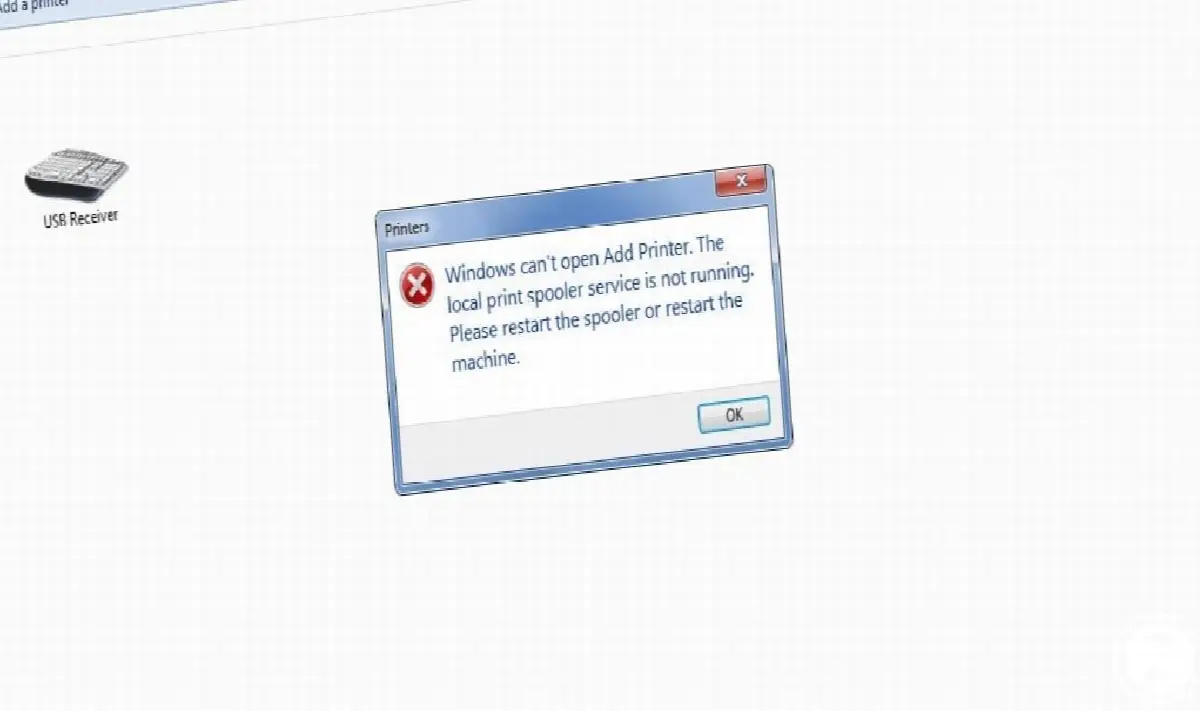
Microsoft, which previously shared the solution to the Office error, has now managed to get rid of the printing error. HP, Canon, Panasonic, Brother and Ricoh The problem that rendered branded printers dysfunctional could even cause problems with virtual printers. neowin As noted by , all supported versions of Windows, including Windows 8.1 and Windows 10, were affected by the bug.
About the bug that Microsoft fixed description as follows: "Resolves an issue that may prevent certain printers from printing. The Print Spooler may unexpectedly close or fail when printing is attempted, and the affected printer cannot print. You may encounter problems such as receiving errors or unexpected closing of the application in the applications you are trying to print from."
Microsoft has started distributing the update in which the bug has been removed:
Microsoft has started distributing the update to affected versions. While updates have been completed for some of the versions, other versions continue to await the update. The error is expected to be eliminated in all versions in a short time. If you don't want to wait for Microsoft to send out the new update, uninstalling the last update You can get rid of the problem for a short time.
Every business is unique. Let’s explore how we can tailor these ideas to your own digital project.


