
What is a motherboard, what does it do, how does it work?
The motherboard, which was first used in IBM computers in 1982, has become even more important with the development of technology. A human…

The motherboard, which was first used in IBM computers in 1982, has become even more important with the development of technology. A human…
First used in IBM computers in 1982 motherboardhas become even more important with the development of technology. A motherboard is as important to a computer as a human skeleton is to that person. The more advanced and powerful your motherboard is, the stronger and more durable the load your computer can handle or the hardware it can accommodate. Briefly for the motherboard skeleton of the computer We can say that it is.
The motherboard is found not only in computers but also in many other electronic devices. Almost all of these motherboards perform the same task. motherboard We can say that the reason why computers first come to mind is because computers have more and more diverse general areas of use. together if you wish What is a motherboard, what does it do and how does it work? Let's take a look at the answers to your questions together.

What is a motherboard?
Bringing together the hardware found in electronic devices such as computers, televisions and mobile phones, and equipment communicating with each other The part that enables them to work in a coordinated manner motherboard It is called.

What does a motherboard do?
- Provides power and distributes power.
- It carries out the operations thanks to the Bios.
- It communicates with other components.
- Provides data flow.
- It determines the performance of the computer.
- It provides maximum performance thanks to the harmony between components.
Strength
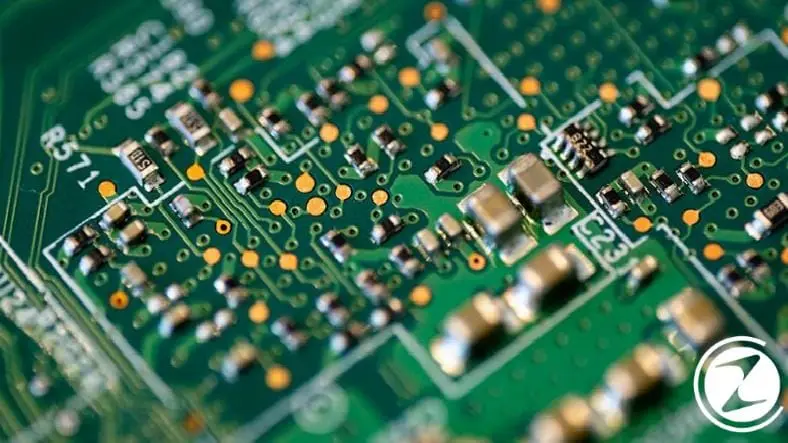
The motherboard plays an important role in powering all the components on it. The motherboard performs almost all tasks. To other components power distribution In addition to doing this, it also contributes to their work. In short, the motherboard is the backbone of other components.
bios
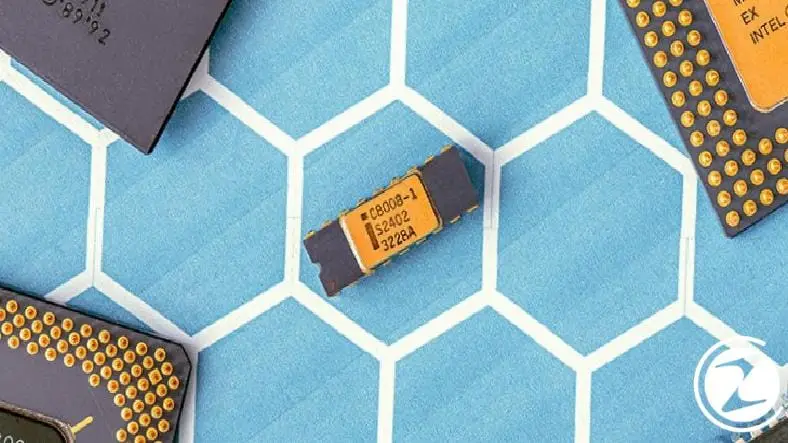
Bios is a permanent software stored in ROM memory. It establishes the connection between hardware, system and software that allows us to use various features of the motherboard. One on each motherboard bios There is. Thanks to this bios, the motherboard turns on the computer and carries out its operations.
Communication

The motherboard briefly establishes the connection and communication between system components. The motherboard, which includes the processor, RAM and many other components, coordinates all of this hardware. In other words a bridge mission sees.
Data Center

The motherboard allows all other components to function. motherboard, establishes the connection between system components Thus, it acts as a data center and provides data flow.
Performance

The motherboard has a huge impact on the performance, power or speed of a computer. With the development of technology, some motherboards are now maximum performance It allows you to install a second graphics card to achieve
Component Compatibility

The motherboard holds most of the computer's components together. In order for the computer to carry out data operations properly component suitability It is an important point. When buying a processor, graphics card or RAM, we must pay attention to whether it is compatible with the motherboard. The processor, RAM and other components supported by each motherboard may differ.
How have motherboards evolved from yesterday to today?
modern motherboardwas invented long before the first computers. The first computers were simpler machines and did not need to coordinate as many operations simultaneously as they do now. In the past, computers were not very popular, so there was not much demand for motherboards.
However, in 1981 IBM “personal computer” meaning Personal Computer This changed when we introduced a type of computer called . What we use today for desktop and laptop computers PC This is where the abbreviation comes from. Something was needed to control and regulate the operations of these computers. So to fill this gap IBM first motherboard developed.
At first, this component was called "planar", but later it changed many names. Finally if motherboard It was decided to be. The reason for choosing this word is that the motherboard connects to all other computer components. "main" So it was because she acted like a mother and interacted with all of them.

How to choose a motherboard?
Motherboard selectionIt plays an important role in the performance of computers. Because the motherboard contributes to the best use of the computer's processors, memories and many other parts by revealing their potential.
Choosing the motherboard among the existing models and finding the most suitable one for you is a difficult task. There are a few main items to consider to make this choice easier. Generally, when building a computer, those with a limited budget try to save on the price of the motherboard. Although a cheap motherboard may seem attractive and affordable, it can cause big problems in the future when you buy an inadequate or incompatible motherboard model. In other words, you can take out your eyes when you want to do eyebrows.
If you wish, let's take a look at the points to consider when choosing a motherboard.
- Intended use
- Processor and motherboard compatibility
- Case and motherboard compatibility
- RAM and motherboard compatibility
Intended use

When choosing a motherboard, the purpose for which the computer will be used should be taken into consideration. If it will be used as a business computer, you can choose price-performance products that are equipped enough for office programs and internet use. If it will be used as a gaming computer, it must have sufficient input and output. a high speed model It is good for you to choose. AMD or Intel processor Since you expect it to provide high performance when used with it, it is also useful to pay attention to whether it has a good cooling system.
Processor and motherboard compatibility
We can say that the most important element is motherboard and processor compatibility. Processors may differ depending on motherboard models. Therefore, your priority should be the processor. In other words Choosing a motherboard according to the processor It will be more correct for you. After choosing between AMD and Intel, two different processor brands on the market, all that remains is to choose the socket type.
Case and motherboard compatibility

The second important point to consider when purchasing a motherboard is the compatibility of the case and motherboard. Make sure that the motherboard model you choose is compatible with the case you want to purchase. While cases called Full Tower are generally compatible with many models, Extended ATX A motherboard won't fit into a small case. So do not forget to take into account the case dimensions you have in mind when choosing your motherboard.
RAM and motherboard compatibility
Chipsets on motherboards, amount of RAM and determines its structure. Motherboards used today, regardless of brand, model and chipset DDR4 While it supports memory in DDR3 form, motherboards developed in previous years can be used with memory in DDR3 form.
Every business is unique. Let’s explore how we can tailor these ideas to your own digital project.


