
What is MAC Address, What Does It Do, How to Find It?
Recently, when technology and the internet have surrounded our entire world, many new concepts have entered our lives. IP address, MAC address, Wi-Fi, Bluetooth…

Recently, when technology and the internet have surrounded our entire world, many new concepts have entered our lives. IP address, MAC address, Wi-Fi, Bluetooth…
Recently, when technology and the internet have surrounded our entire world, many new concepts have entered our lives. IP address, MAC address, Although we are familiar with some of the concepts such as Wi-Fi, Bluetooth and Ethernet, we still have question marks in our minds about some of them. MAC address concept It is one of the concepts that creates a question mark in our minds.
Alright, What is MAC address? Although it is often confused with the IP address, the MAC address is unique information specific to each device that can connect with other devices. MAC address The answer to the question of how to find it consists of methods that vary on each device. We answered frequently asked questions such as what a MAC address is, what it does, how to find it, and explained the details you need to know about the subject.
What is MAC address?
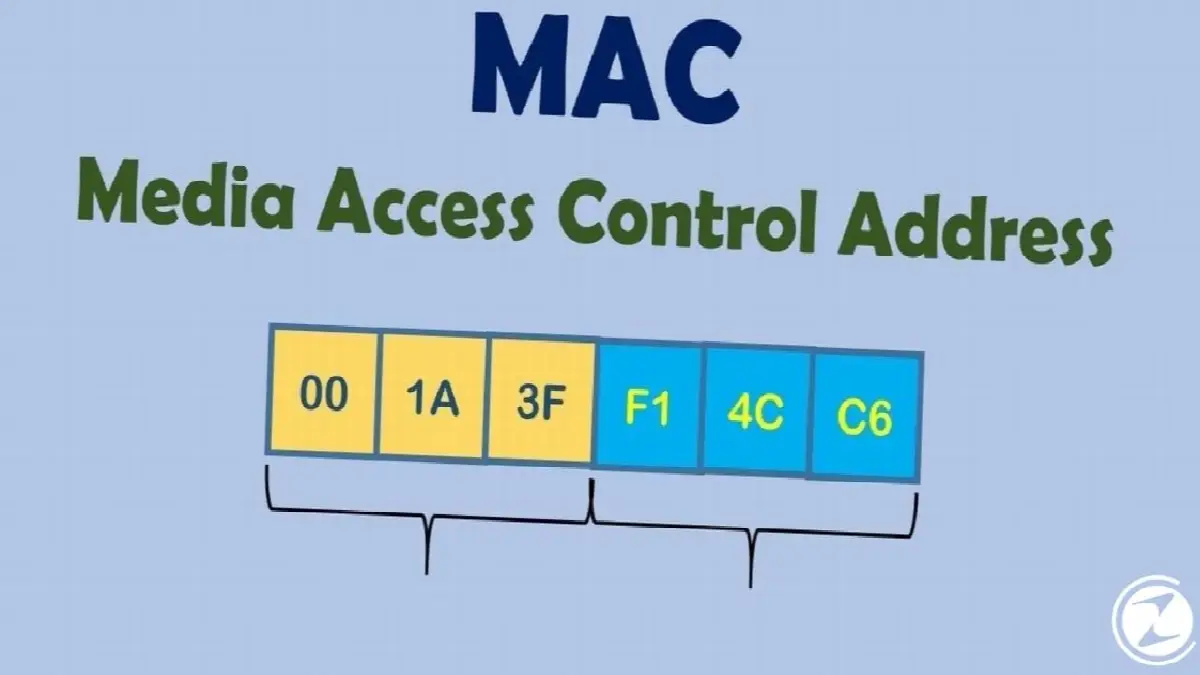
Media Access Control Address, that is, MAC address, is the device that can connect with other devices. uniquely on every device It is an address also called physical address or hardware address. The IP address may change, but the MAC address is unique and does not change.
The first 24 bits, that is, 3 octets, of the MAC address, which consists of 48 bits and 6 octets, identify the manufacturer, and the second 24 bits, that is, 3 octets, represent the manufacturer. model, year, place of manufacture of the equipment Shows information such as. While the IP address is visible to all users, the device's MAC address is only visible to users connected to the same network.
MAC addresses are written by adding a “:” sign between each octet. MAC addresses defined as local network are 02, such as ethernet and FDDI MAC addresses defined for protocols start with 01. Standard MAC addresses are as follows:
- 68 : 7F : 74 : F2 : EA: 56
What does a MAC address do?

Uniquely present in every device that can connect with other devices MAC address is usually; B.It is used during the processing of protocols such as Bluetooth, Wi-Fi, Ethernet, token ring, SCSI and FDDI. This means your device may have separate MAC addresses for ethernet, Wi-Fi and Bluetooth.
Devices on the same network recognize each other, devices such as routers providing the right connections MAC address is also used in operations such as Devices can connect to each other over the local network, even using each other's MAC addresses. In short, the MAC address allows devices connected to the same network to communicate with each other.
How to find MAC address?
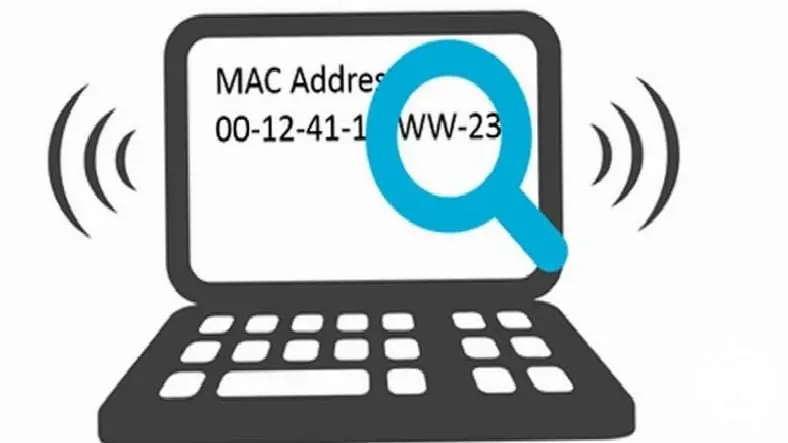
The process of finding a MAC address may vary on each device and each operating system. But You can track every transaction There are simple steps. Thanks to these steps, you can find your MAC address and block or allow access to certain devices.
Finding Windows MAC address:
- Step #1: Open the Windows search bar.
- Step #2: cmd Type and search.
- Step #3: The Command Prompt page will open.
- Step #4: ipconfig /all Type it and press Enter.
- Step #5: Physical Address line is your MAC address.

You will see multiple MAC addresses on this screen. This is because each network hardware has a separate address is that it is. Among these addresses, you can see the MAC address of the wireless connection, different local network connections and the Bluetooth connection.
Finding macOS MAC address:
- Step #1: Click on the Apple logo.
- Step #2: System Preferences Open the section.
- Step #3: Network Open the menu.
- Step #4: Developed Open the section.
- Step #5: On the screen that opens wifi Click .
- Step #6: Here you will see your MAC address.

The section and menu names in the steps depend on the macOS operating system version you have. may differ but it will be similar. In addition to your MAC address, you can also access different information about your system, such as the IP address, on the screen that opens.
Linux MAC address finding:
- Step #1: Terminal Open the page.
- Step #2: fconfig Type it and press Enter.
- Step #3: Here you will see your MAC address.
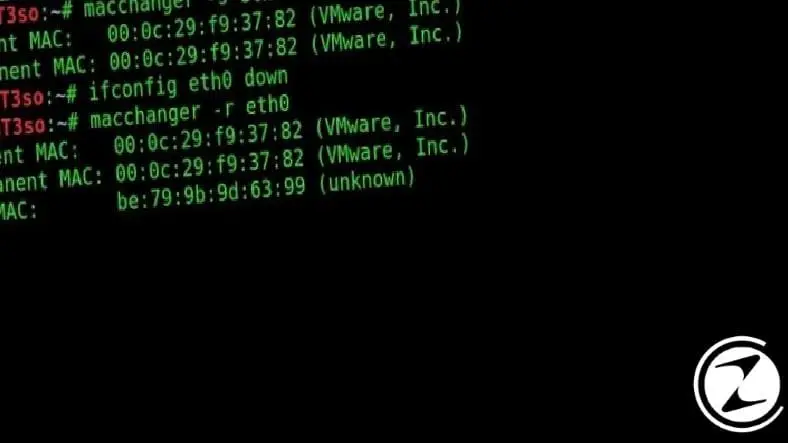
The Linux Terminal screen is like the Command Prompt screen in Windows. With the different commands you write here, Detailed information about your system you can see. When you type the fconfig command, you can access information such as your MAC address and IP address.
Finding iOS MAC address:
- Step #1: Settings Open the menu.
- Step #2: General Open the section.
- Step #3: About Open the page.
- Step #4: Here you will see your MAC address.

MAC address is also found on devices such as phones and tablets. You can install iOS operating system by following the steps above. iPhone, iPad You can learn the MAC address of your devices such as. You can also access details about your Wi-Fi information on this page.
Finding Android MAC address:
- Step #1: Settings Open the menu.
- Step #2: About Phone Open the section.
- Step #3: All Features Open the page.
- Step #4: Situation open the screen.
- Step #5: Here you will see your MAC address.
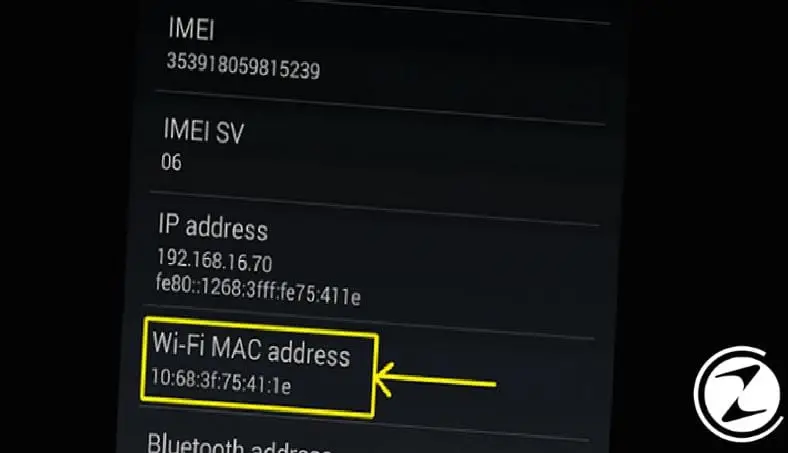
The process of finding MAC address on devices with Android operating system, depending on the brand and model of the device may change. However, you can access all the information about the device by accessing pages similar to the menu and section names in the steps above.
We answered questions for you such as what is a MAC address, what does it do and how to find it, and we can use it on different devices. For MAC address discovery We explained the methods you can use. The MAC address is not information that you should always know, but it is useful to know this address, especially when there are problems with issues such as connection between devices.
Every business is unique. Let’s explore how we can tailor these ideas to your own digital project.


