
Windows 10 October 2020 Update Released
Microsoft announced the October 2020 update for Windows 10, which is the most current operating system and used on more than 1 billion devices.
Microsoft announced the October 2020 update for Windows 10, which is the most current operating system and used on more than 1 billion devices.
Microsoft is the most up-to-date operating system and used on more than 1 billion devices. Released the October 2020 update for Windows 10. The October 2020 update, which is the 'second major update of 2020', however, does not bring major changes in terms of user experience.
With the Windows 10 October 2020 update, which we can describe as a Service Pack start menuis getting a change that doesn't bring any functionality but makes the interface look cleaner and more user-friendly. Moreover Chromium-based Edge integration into Alt Tab menu There are also a few minor changes such as:
App icons are getting rid of tiles in the Start menu
As you know, Microsoft has been using a similar design language in the Start menu since Windows 8, and in this design language, application icons are displayed in boxes with a certain background color. With the October 2020 update, this situation changes and Application icons are listed on a transparent background, independently of the tiles.
With the October 2020 update, the Alt Tab menu, which is used to switch between applications, gets Chromium-based Edge integration. In this way When you Alt Tab, you will be able to switch not only between applications but also between different Edge tabs.. We do not currently know whether this feature will also work in different Chromium-based browsers.
You will be able to change the screen refresh rate from Windows 10 settings without using NVIDIA or AMD software.
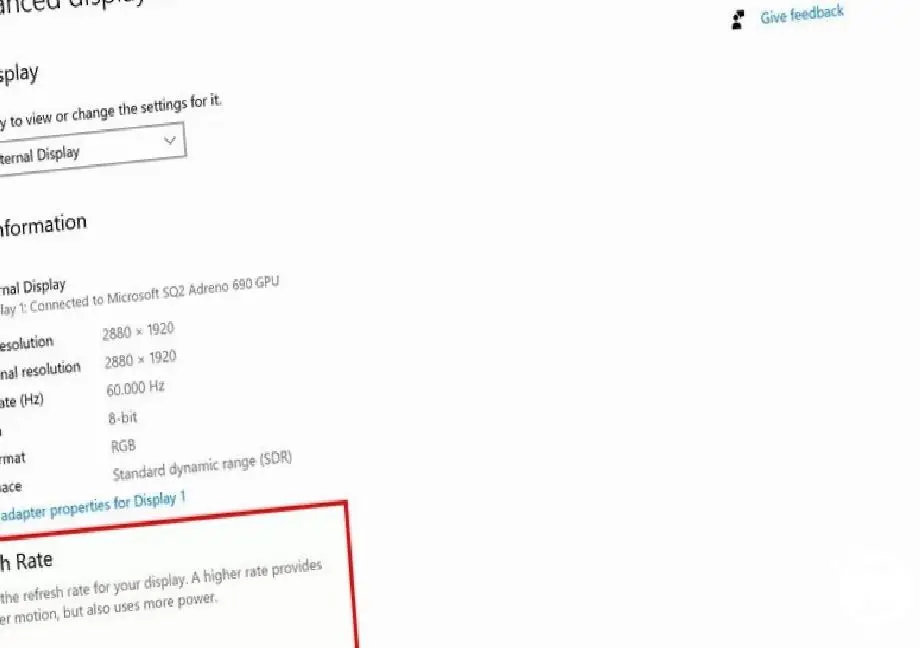
Another change that Microsoft introduced with the October 2020 update may particularly please the players. As you know, Microsoft has never provided an easy way to switch between different screen refresh rates in its operating systems. However, after the October 2020 update Settings > System > Display, Advanced Display Settings When you follow the steps, you will be able to easily change the screen refresh rate.
Although Microsoft has started to release the October 2020 update as of today, the update may not reach your device immediately. Microsoft, which had major problems especially with the second major update of last year, rolling out the update to users gradually and to find out if the update is available on your computer Settings>Update & Security>Windows Update>Check for Updates You can follow the steps.
Every business is unique. Let’s explore how we can tailor these ideas to your own digital project.


