
How to Solve Windows Script Host Error?
There are many different software that you have installed or come pre-installed on your computer. Some of these software are installed when the computer is turned on…

There are many different software that you have installed or come pre-installed on your computer. Some of these software are installed when the computer is turned on…
There are many different software that you have installed or come pre-installed on your computer. Some of these software run automatically upon the instructions of the script when the computer is turned on, or are run by you using the same procedures. But sometimes this software Windows Script Host error gets it and it doesn't work.
Alright, What is Windows Script Host error? Most computer users Windows Script Host When he receives an error warning, he thinks that it is caused by a virus or Trojan horse software, but the problem is simpler. The software you want to run for you Windows Script Host We explained what you should do when you get an error and the methods you can apply to solve it.
What is Windows Script Host error?

Windows Script Host i.e. Windows scripting is an automation technology developed by Microsoft for use in Windows operating systems. Script that first appeared in the Windows 95 version Internet Explorer It was developed for.
As new software is developed by Microsoft or other software developers for the Windows operating system script host system has also improved. This system basically enables the software to run on the system by matching the programming languages of the software and the operating system.
The Windows Script Host error warning indicates that this system is not working and is experiencing some kind of problem. script cannot run the software, It means it is unable to perform some type of boot. This error is usually caused by .vbs files. There are different methods you can use to solve the Windows Script Host error.
How to solve Windows Script Host error with Command Prompt?
- Step #1: Type “cmd” in the Windows search bar.
- Step #2: Right click on the resulting search result.
- Step #3: Click on Run as administrator.
- Step #4: On the Command Prompt screen, type “sfc /scannow” and press Enter.
- Step #5: System scanning and correction will be performed.
- Step #6: Problem solved.
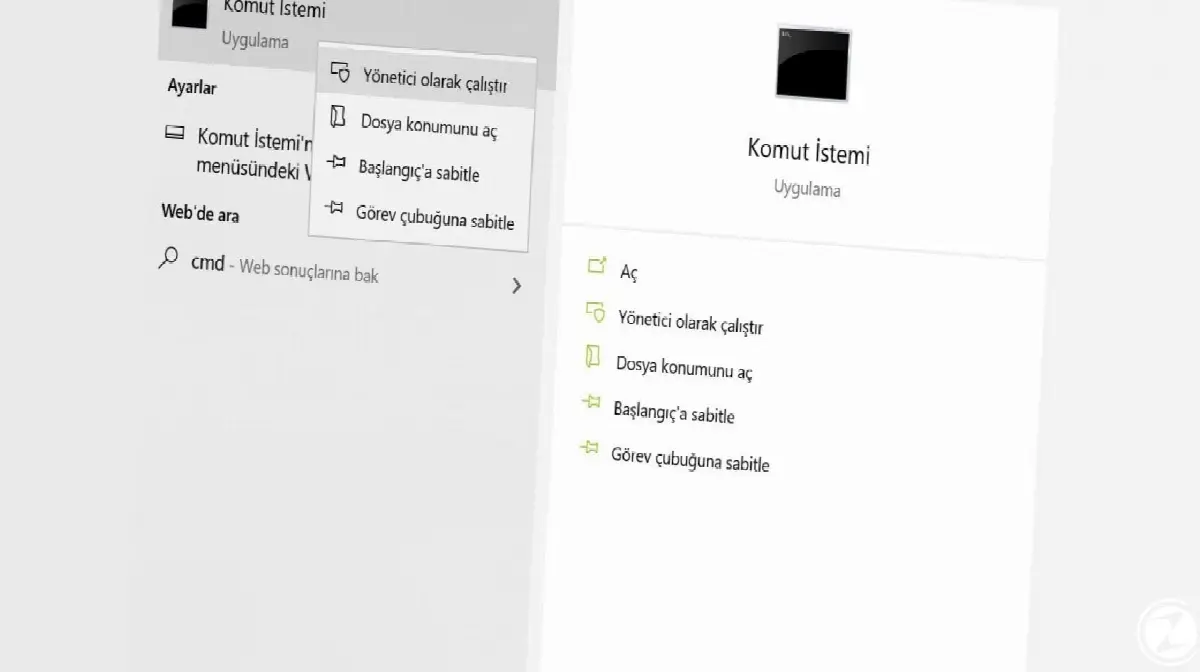
One of the simplest methods you can use to solve the Windows Script Host error by running the Command Prompt as an administrator. Of course, this method depends on the cause of the error. successful or unsuccessful can give results. If you have unsuccessful results, you can try alternative methods.
Windows Script Host error solution with Registry Editor:
- Step #1: By pressing the Windows key + R combination run open the screen.
- Step #2: Type “regedit” and search.
- Step #3: Registry Editor will open.
- Step #4: Open the HKEY_CLASSES_ROOT folder from the menu on the left of the screen.
- Step #5: Open the .vbs folder from within the folder.
- Step #6: Open the file that appears on the screen on the right.
- Step #7: Save the value data as VBSFile.
- Step #8: Problem solved.
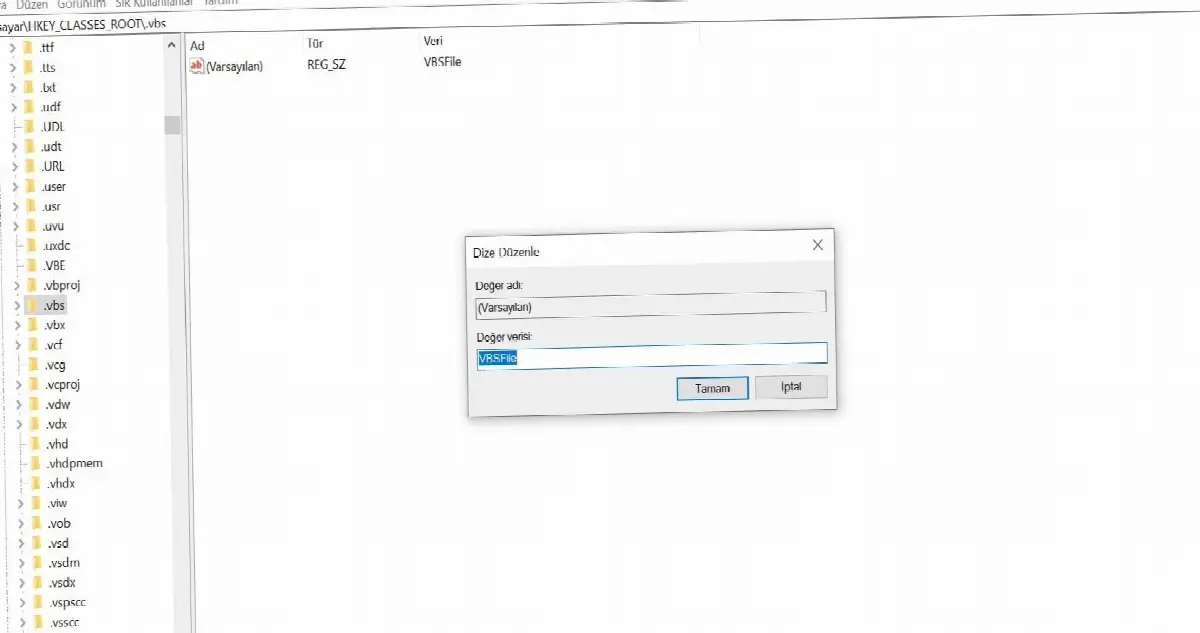
One of the simplest methods is to solve the Windows Script Host error via the Registry Editor. Since Windows Script Host error is usually caused by .vbs files, this type of intervention get successful results possible. If you have unsuccessful results, you can try alternative methods.
Solution to Windows Script Host error by deleting entries:
- Step #1: Registry Editor open it.
- Step #2: Open the HKEY_LOCAL_MACHINE folder.
- Step #3: Then open the SOFTWARE folder.
- Step #4: From here Microsoft Open the folder.
- Step #5: Windows NT Open the folder.
- Step #6: CurrentVersion Open the folder.
- Step #7: From here winlogon Click the folder but do not open it.
- Step #8: Among the opened files userinit Delete all files under the file.
- Step #9: Problem solved.

The method of deleting entries made after userinit is a bit complicated. Even though it seems complicated It is one of the successful methods you can use to solve the Windows Script Host error. All the folders mentioned in the steps are nested and when you open one, you will be able to easily find the others.
Solution to Windows Script Host error with safe mode:
- Step #1: Turn on your computer in safe mode.
- Step #2: Registry Editor open it.
- Step #3: With the combination Ctrl + F nameofthe.vbs Find the file.
- Step #4: here VBS file shilling.
- Step #5: File Explorer open it.
- Step #6: Delete any other VBS files as well, if any.
- Step #7: Problem solved.
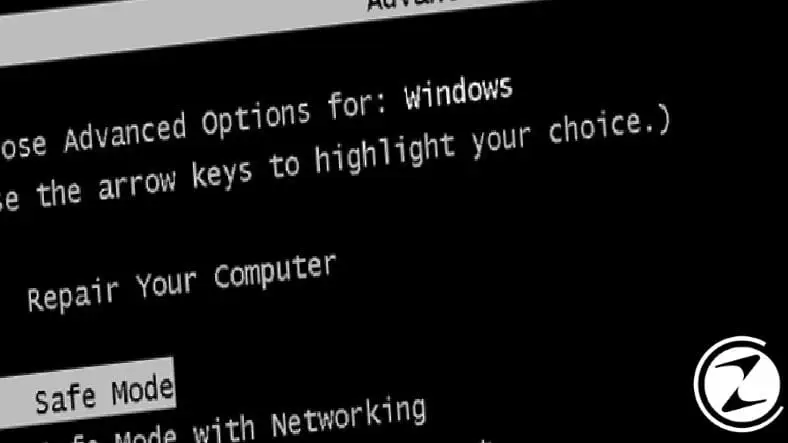
Solving the Windows Script Host error with safe mode is among all the methods we have explained. is the most complex. You can try this method if you get unsuccessful results from the other methods we have explained. Although complex, this method is guaranteed to produce accurate results.
We have explained the different methods you can use to solve the Windows Script Host error. The issue causing the error Anyway, one of these methods will definitely work. Removing the error-producing software may also be a different solution.
Every business is unique. Let’s explore how we can tailor these ideas to your own digital project.


