
Is It Right To Put The Computer In Sleep Mode Or Turn It Off?
You have some options to protect your data and computer power status when you are not using your computer…

You have some options to protect your data and computer power status when you are not using your computer…
You have some options to protect your data and computer power status when you are not using your computer. Turning off the computer, sleep mode, hibernate and hybrid mode, seen only on some desktop computers; It allows the computer to terminate different processes and programs. Alright; Is it best to turn off the computer, sleep mode or hibernate it?
After Windows 10 update, hibernation does not even appear in the power options most of the time, but at least shut down the computer and put it into sleep mode It is a power option that provides up to 100000 power protection. Computer power protection is very important, especially for laptop users. for you Shut down the computer, sleep or hibernate? We answered the correct question.
What are the power options?
Before you see which power option is the right choice for your computer, Which operations of which option? and it is necessary to know that the programs are terminating. Thus, you can make your computer use more efficient by choosing the right power option for you.
Turning off the computer:
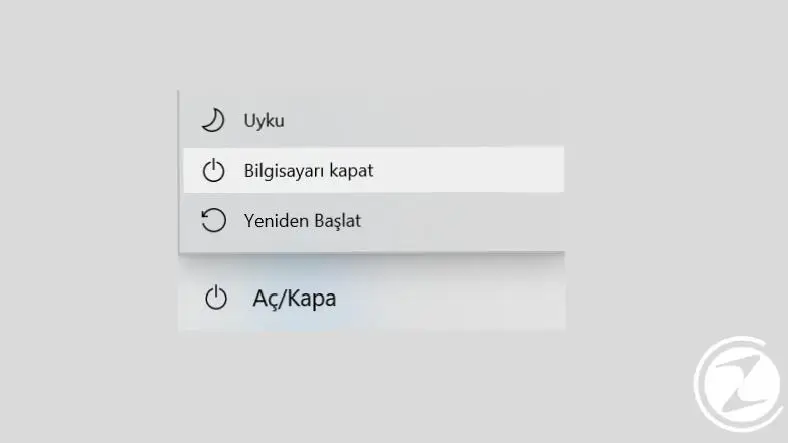
Turning off the computer is one of the most commonly used power options. shut down the computer All operations will stop at the moment you select, Running programs are terminated, hardware and the operating system are completely shut down. The computer that shuts down does not use any power.
Of course, the most annoying part of the shutdown option is turning the computer back on. When a completely shut down computer is being turned on enters the boot process again, hardware restarts and startup programs are reloaded. This process can last from a few seconds to a few minutes.
Sleep mode:
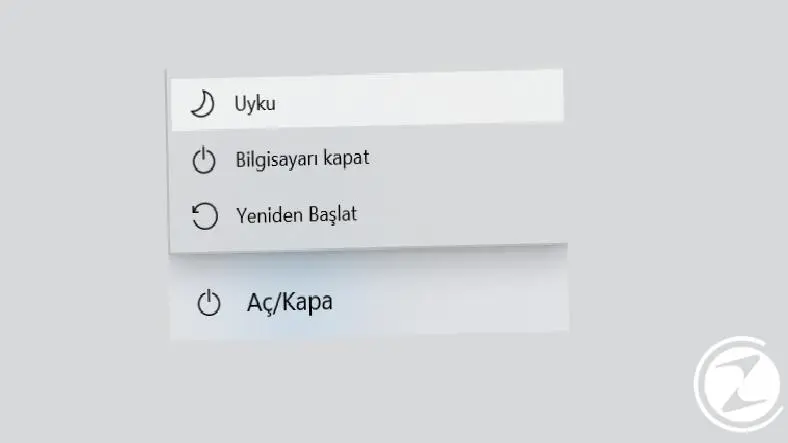
Sleep mode is a power option that is used as frequently as turning off the computer, but The effect is quite different. The computer that is put into sleep mode continues to remain exactly as it was before it was put into sleep mode and waits to be restarted, consuming much less energy.
During sleep mode, recent data is kept in memory but all other partitions are closed. A situation similar to what a person experiences while sleeping. A computer that has been put into sleep mode will be turned on directly without going through a long process, and you will continue to use your computer from where you left off before sleep mode. Memory recording may disappear if the computer loses power.
Hibernate:
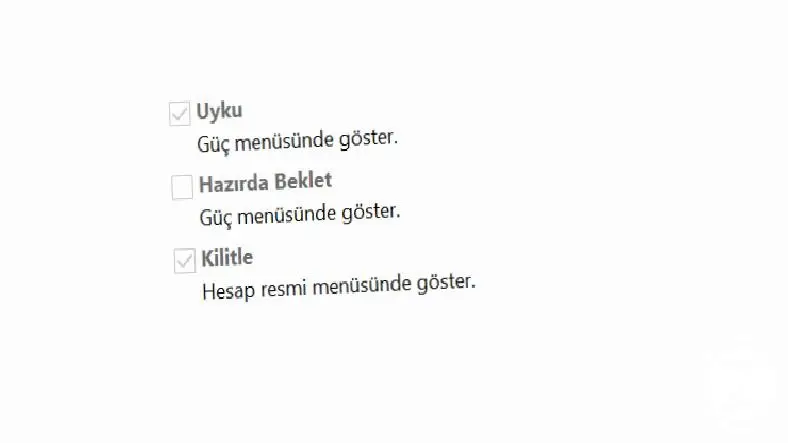
The hibernate option may sometimes not be seen even among the power options after the Windows 10 update, but it is at least as good as other options. It is an effective power option. The hibernated computer backs up the latest state by opening an additional file on the hard drive and shuts down completely. Data is retained even if the computer loses power.
When the hibernated computer is turned on, this file is retrieved and loaded back into memory. A computer in hibernation consumes much less energy than in sleep mode, It's almost like it's closed. However, it takes much longer to restart than sleep mode. There is a subtle difference between hibernating and shutting down the computer, as only backing up the data.
Hybrid:
Hybrid or mixed power option; completely specially designed for desktop computers, not seen on laptops, even if it is seen Disabling is a recommended power option. Essentially, it functions like hibernation and sleep combined.
The computer put into hybrid mode both backs up the data with a file on the hard disk and keeps the memory open. On desktop computers Since there is no problem such as battery consumption such a mode is quite functional. Just like sleep mode, a computer in hybrid mode turns on easily and, like in hibernation mode, data is retained even if the computer loses power.
In what situations are shutting down the computer, sleep mode and hibernation used?
Sleep mode:
The sleep mode option is available to the user when away from the computer for short periods of time It is recommended to use. Sleep mode is an extremely suitable option to protect open programs or ongoing processes from possible accidents when you are away from the computer for a short time.
To give an example; While you were working on your computer, your phone rang and you had to talk for a while, or You have to go to the market in a few minutes. In such cases, putting the computer into sleep mode is the most appropriate method to both protect data and save power.
Hibernate:

The hibernation option allows the user to when he/she is away from the computer for longer periods of time It is recommended to use. Since all the latest data is backed up, you do not have to start many operations from scratch, as in the option of shutting down the computer. However, it is not recommended to hibernate and restart the computer frequently during the day.
The best example for the use of the hibernation option is the computer These are situations where you don't know how long you will stay away. Sleep mode is ideal if you are sure that you will be away for a short time, but if there is a possibility that you will be away and return after a few hours, the best option is hibernation.
Turning off the computer:

The option to shut down the computer is when the user steps away from the computer and when not using for a long time It is recommended to be preferred. When the computer is turned off, all ongoing processes are stopped and the hardware and operating system are completely shut down. When this is the case, it may take a while to open.
When you put your computer in your bag and go somewhere or go to sleep, when you don't need to use a computer Turning off the computer would be the best option. It is not recommended to turn the computer off and on frequently during the day, but instead of keeping the computer in sleep mode or hibernating it in vain, turning off the computer is the most successful power option.
Edit power options:

Edit power options, i.e. what happens when you press the power button or how the laptop when you close the lid Determining what will happen is a method you must follow to use your computer in the most efficient way.
Windows + R You open it with the key combination run to the screen powercfg.cpl by typing or via Control Panel Go to the power options editing screen you can reach. From here you can edit the power options you want the laptop to apply when it's on battery or plugged in.
Generally, Windows users with laptops experience problems when the computer lid is closed. go into sleep mode they prefer. The power button can be used for complete shutdown or hibernation. Here, the choice should be based entirely on your user habits.
Never change the choices you make when editing power options. There is no absolute right or wrong. By taking into account the above definitions, reasons for preference and user habits, you can choose the power options that will enable you to use your computer most efficiently.
We have reviewed the power options that enable you to use your computer in the most efficient way and Is it best to turn off the computer, sleep mode or hibernate it? We answered the question. By choosing the right option according to your user habits, you can use your computer in the most efficient way and even extend its life.
Every business is unique. Let’s explore how we can tailor these ideas to your own digital project.


