
The Create Button on PS5 Will Be More Functional Compared to PS4
Sony recently announced the release date and release price of its new generation console PlayStation 5. In countries such as the USA, Japan, South Korea…

Sony recently announced the release date and release price of its new generation console PlayStation 5. In countries such as the USA, Japan, South Korea…
Sony recently announced its new generation console PlayStation 5He announced the release date and price of . New information continues to emerge about the console, which will be released on November 12 in countries such as the USA, Japan and South Korea, and on November 19 in the rest of the world.
One of these innovations is the PlayStation 5 controller. DualSenseThe 'Create' button located in . Although this button replaces the 'Share' button on PlayStation 4, it has much more functions.
Functions of the Create button
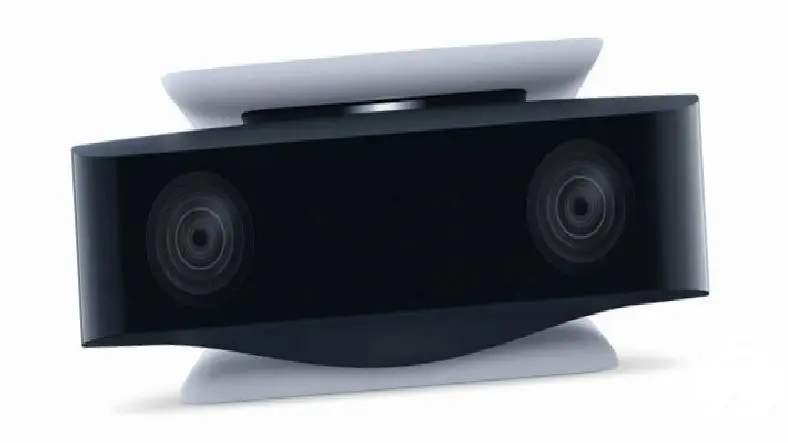
The new HD camera accessory was introduced on PlayStation's official website. So with one click You can record video or go live. This feature was also available on PlayStation 4, but since the publishing world has grown a lot since the PS4 was released in 2013, it is estimated that much more will be offered on PS5.
Additionally, in the introduction of the camera accessory, the 'background erasing' tools of the PlayStation 5 console were also mentioned. Also on PlayStation 4 PlayStation Camera Even though there was a feature to stream live broadcasts, the background tools did not work in great detail. It is estimated that PlayStation 5 will offer much more detailed features in this regard.
Under the title of background removal tools on the page where the HD camera is introduced “With HD camera cut or completely eliminate the background “With the picture-in-picture mode feature, you can insert yourself into your game while broadcasting.” expressions are included. So, based on this, it can be said that the Create button will do much more than its replacement on PS4. Of course, as the release date approaches, we are likely to learn much more about the Create button on the DualSense.
Every business is unique. Let’s explore how we can tailor these ideas to your own digital project.

