
The Location of the Driver Update Section Has Changed in Windows 10
US-based technology giant Microsoft made many innovations in the operating system with the latest version of Windows 10 in 2004.

US-based technology giant Microsoft made many innovations in the operating system with the latest version of Windows 10 in 2004.
US-based technology giant Microsoft Windows 10With the last version of 2004, many innovations were made in the operating system. While users were satisfied with some features of Windows 10 2004, others were the subject of controversy. An innovation that came after the last update of Windows 10 is that users can do their work at least a little bit. will make it difficult It looks like.
Especially users who format their computers or update their hardware parts generally use "Device ManagerA user could examine the hardware parts on his computer through the Device Manager and automatically install their drivers over the internet. Windows 10 Version 2004 (Build 19041.423This situation changed with ). Users can no longer update drivers over the internet from here.
This is what Device Manager looks like before Windows 10 Version 2004

This feature, which Windows 10 has removed from the Device Manager, is only Internet It prevents searches from being made. In other words, if users want to update the drivers for the hardware on their computers, they can access the update from a different source and download it to their devices. downloads It is necessary. This is what the driver update section of Device Manager in Windows 10 Version 2004 (Build 19041.423) looks like;
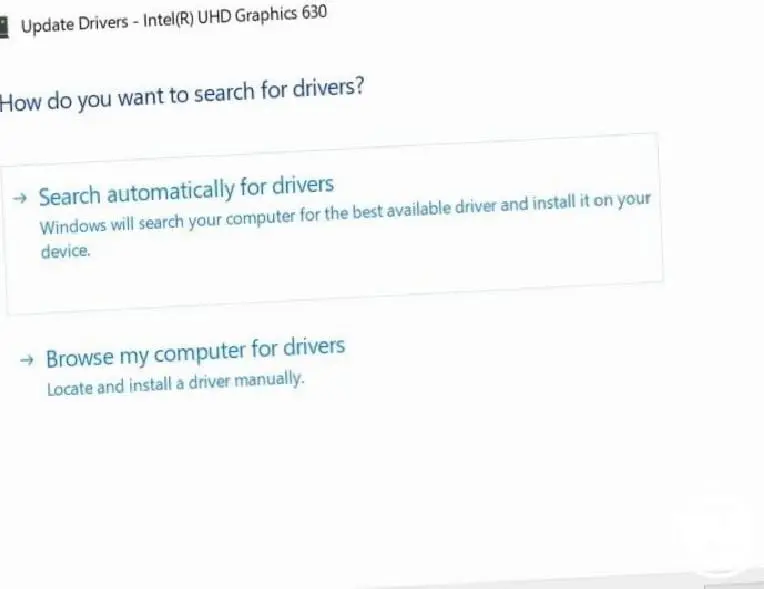
The feature has not been completely removed, it has just been relocated
It is now easier to update drivers for hardware parts of your computers. different You need to go to a location. This location appears as Settings > Update and Security > Windows Update > View Optional Updates > Driver Updates. When you go to this location, you can easily install the drivers for your hardware. you will be able to update.
Driver updates are not something that many users do. However, some users experience a problem on their computers. they are having problems They update drivers directly from time to time. These users are losing their old habits with Windows 10 Version 2004. to change They will have to. Because driver updates that have been in the Device Driver for years will now be accessed from a different location.
Every business is unique. Let’s explore how we can tailor these ideas to your own digital project.


