
What is AMD Virtual Super Resolution and What Does It Do?
It is AMD's developed and edited version of Anti-Aliasing, which we have all been familiar with from the graphics settings of games for years...

It is AMD's developed and edited version of Anti-Aliasing, which we have all been familiar with from the graphics settings of games for years...
We are all familiar with the graphics settings of games for years. Anti-AliasingWe can describe it as the developed and edited version of AMD. AMD Virtual Super ResolutionIt provides convenience to players in terms of image quality in many scenarios.
Especially if you have a decent and powerful system but a low-resolution monitor, AMD Virtual Super Resolution can be a very useful software. Come all together “What is AMD Virtual Super Resolution?” “How to activate?” And AMD Virtual Super Resolution supported graphics cards Let's take a closer look at which ones.
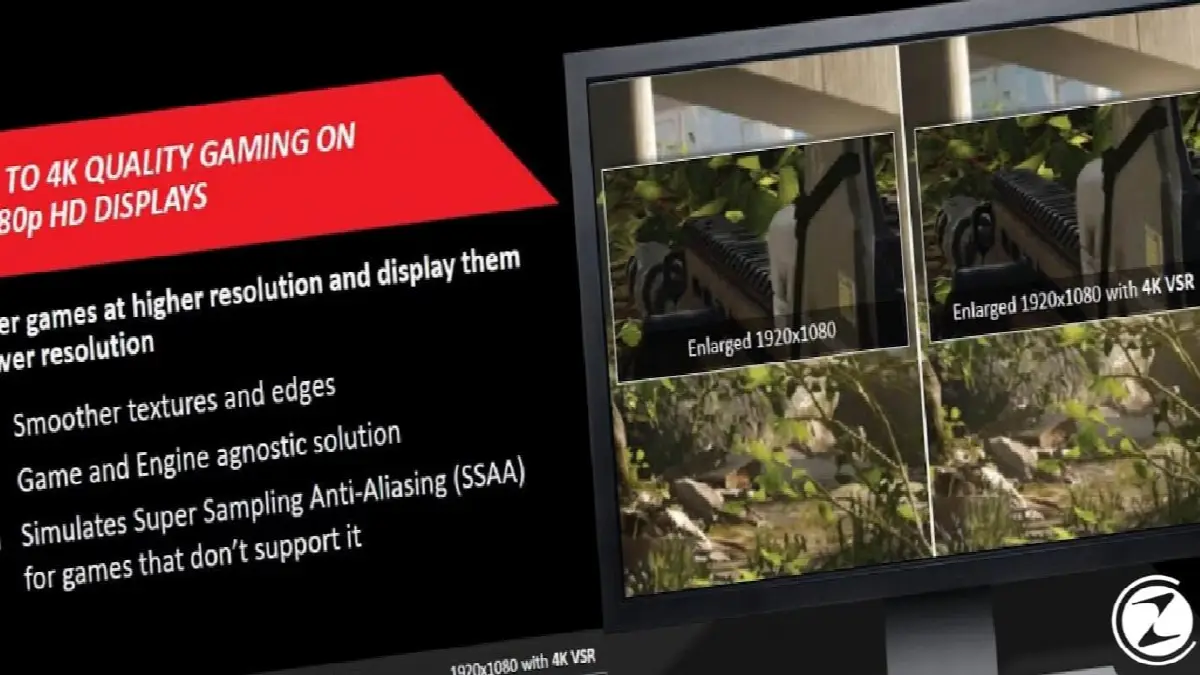
What is AMD Virtual Super Resolution?
To understand AMD Virtual Super Resolution, we first need to know a little about Anti-Aliasing. As you know, our computer screens and therefore every program and game are actually made up of pixels. For this reason, sometimes there may be breaks and pixelation in games. The technology that solves this problem is Anti-Aliasing.
AMD Virtual Super Resolution works both like Anti-Aliasing and in a different way. The working system of AMD Virtual Super Resolution can be summarized as follows:
For example, you have a relatively powerful system, but your monitor has a resolution of 1920 x 1080p. AMD Virtual Super Resolution brings the game to you In 4K image quality It processes it and then downloads it back to 1920 x 1080p resolution. In this way, you can have a gaming experience that exceeds the image quality supported by your monitor.
What are the advantages and disadvantages of Virtual Super Resolution?
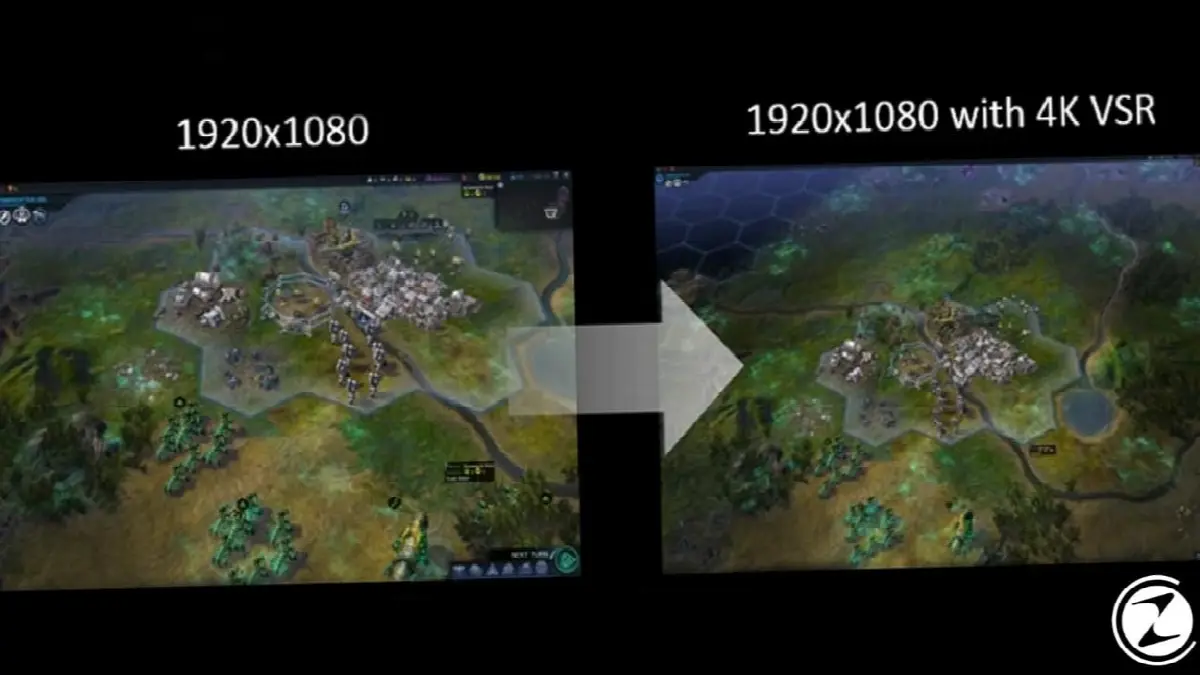
AMD Virtual Super Resolution biggest advantageBasically, it allows us to use Super Sampling Anti-Aliasing technology in games that do not support Anti-Aliasing. In this way, we can play a smoother and more fluid game.
AMD Virtual Super Resolution disadvantage While this increases the image quality, it naturally results in a decrease in FPS. This process works because AMD Virtual Super Resolution increases the image quality and reduces it back to the base image quality of your monitor. FPS drops causes it to happen. However, since these FPS drops do not occur in huge amounts, they do not affect the fluidity of the game much.

Another advantage of AMD Virtual Super Resolution technology is that it offers a wider and more comprehensive gaming screen depending on the image quality you use. This advantage is especially evident in real-time strategy games.
Graphics cards with Virtual Super Resolution support:
- Radeon RX 5700 series
- Radeon VII
- Radeon Vega Series
- Radeon RX 500 series
- Radeon RX 400 series
- Radeon R9 390 series
- Radeon R9 380 series
- Radeon R9 295X2
- Radeon R9 290 series
- Radeon R9 280 series
- Radeon R9 270 series
- Radeon R7 370 series
- Radeon R7 360 series
- Radeon R7 260 series
- AMD Radeon R9 Fury series
- AMD Radeon R9 Nano
- AMD Radeon HD 7900 series
- AMD Radeon HD 7800 series
- AMD Radeon HD 7790 series
- AMD A-Series 7400K desktop APUs and above graphics cards.
Enabling Virtual Super Resolution:
- Step #1: Right click on the desktop and “AMD Radeon Settings” Open the application.
- Step #2: “Display” Open the menu.
- Step #3: “Virtual Super Resolution” token "Front" position.
Step #1: Right-click on the desktop and open the “AMD Radeon Settings” application.

If you have an AMD Radeon graphics card, you will see the “AMD Radeon Settings” option when you right-click on the desktop. If you have not installed any graphics card drivers before, you can download the updated AMD graphics card drivers from here.
Step #2: Open the “Display” menu.

After reaching the AMD Radeon Settings interface, we click on the "Display" option in the menu bar at the top and access the Display menu.
Step #3: Set the “Virtual Super Resolution” toggle to “On”.
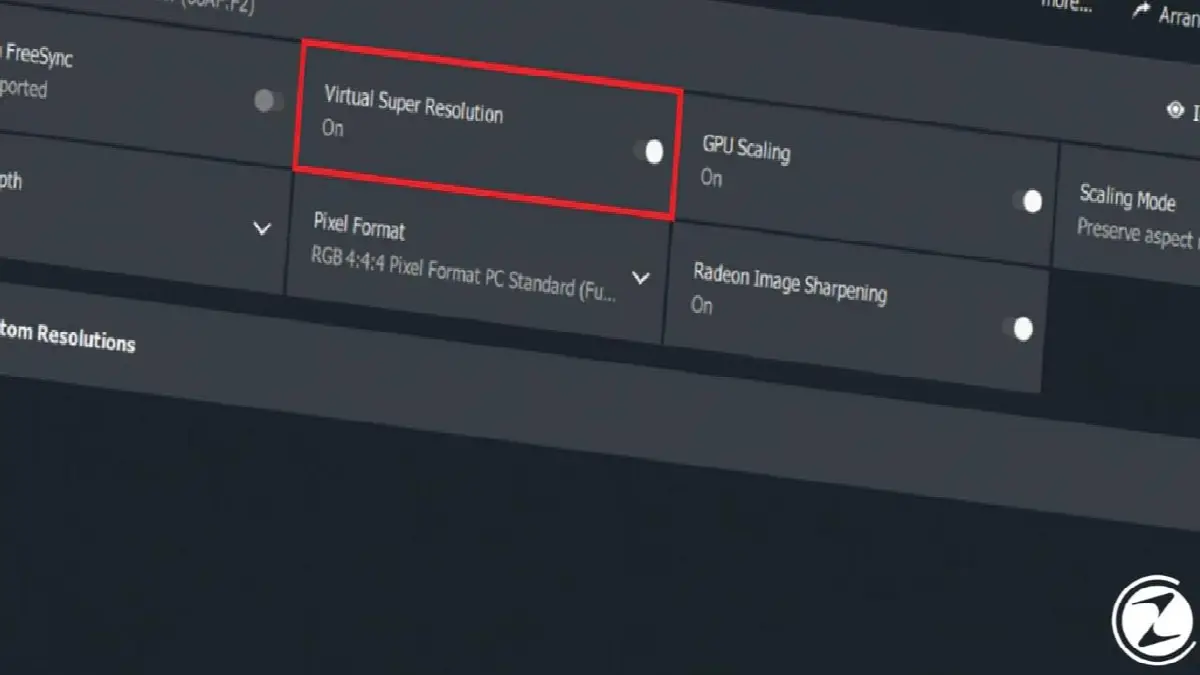
A series of display settings will greet us in the Display menu. Among these settings, we find the Virtual Super Resolution setting, click on the icon next to it and turn it to On. As a result of this process, you activate the Virtual Super Resolution feature. “Custom Resolutions” In the section, you can specify the screen resolution you want the feature to work on.
Virtual Super Resolution Although it has a very minor disadvantage, it is a very useful feature that takes advantage of the technologies provided by today's PC world. What do you think about Virtual Super Resolution technology? Do you use this feature on your own system? You can share your opinions and experiences with us in the comments section.
Every business is unique. Let’s explore how we can tailor these ideas to your own digital project.


