
How to Check How Many Bits a Computer Has?
How many bits your computer with a Windows, macOS or Linux operating system has, that is, whether it is 32 bit or 64 bit, depends on what is processed by the computer.

How many bits your computer with a Windows, macOS or Linux operating system has, that is, whether it is 32 bit or 64 bit, depends on what is processed by the computer.
Your computer with Windows, macOS or Linux operating system how many bits Whether it is 32 bit or 64 bit indicates the width of the data bus on which all data processed by the computer is processed. How many bits does your computer have? Depending on your situation, you may need to download or purchase a different version of the software you will download or the hardware you will add.
Alright, How to check how many bits a computer has? Don't be fooled by technical terms, the process of finding out how many bits a computer has is actually quite simple. Just; The methods you will use for Windows, macOS and Linux operating systems will vary. The computer's processor for you how many bits We answered the question of how to check if it is present and explained step by step the methods you can apply.
How to check how many bits a Windows computer has?
- Step #1: File Explorer open it.
- Step #2: This Computer right click on it and Features Click .
- Step #3: System Type Find the line.
- Step #4: The number of bits written here shows how many bits your computer's processor has.
- Step #5: The process is complete.
Step #1: Open File Explorer:
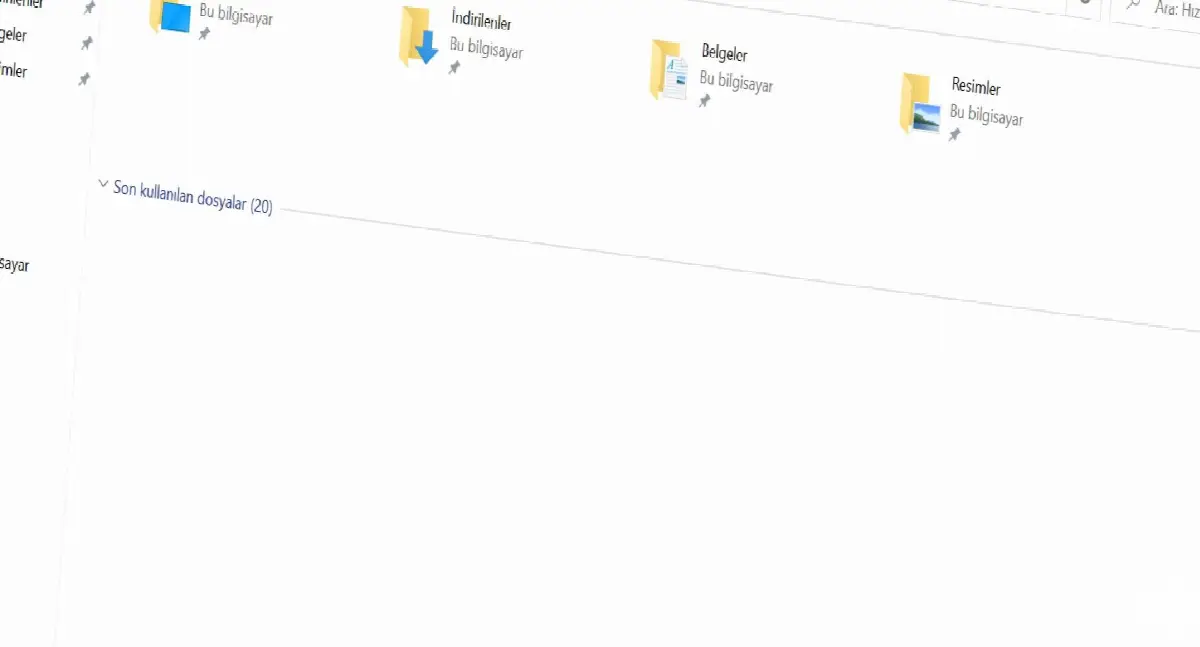
of your computer to File Explorer to access it from your keyboard. Windows + E key combination or if you have it, you can use Taskbar located on File Explorer The icon will direct you to the folder you want to reach.
Step #2: Right-click on This PC and click Properties:

File Explorer When you open it, you will see all the files and folders on your computer. a broad summary will come out. The point you need to look at here is the icon on the left side of the screen. Quick Access column. In this column, you will see the folders you have recently processed.
Below the files you last processed This Computer You will see the line. When you hover over it and click to the right, in the menu that opens, you will see information about your computer. about the actions you can take There will be many different options. From here Features By clicking , you can open your System page and access many different information about your computer.
Step #3: Find the System Type line:

File Explorer, This PC, Properties you reach via System page about your computer lots of different information gives the opportunity to reach Here on the second line System section, System on the third line in the section System Type You will find the line.
If your computer processor is 32 bit, here; 32-bit Operating System, x32 based processor will write. If If your computer processor is 64 bit Here; 64-bit Operating System, x64 based processor will write. Now that you know how many bits your computer has, you should definitely take this feature of your computer into consideration in your future operations.
How to check how many bits a macOS computer has?
- Step #1: Click the Apple icon in the menu bar.
- Step #2: About This Mac Click .
- Step #3: More Click the button.
- Step #4: Hardware Open the section.
- Step #5: Processor Find the line.
- Step #6: Here you can find out how many bits your computer processor has.
- Step #7: The process is complete.
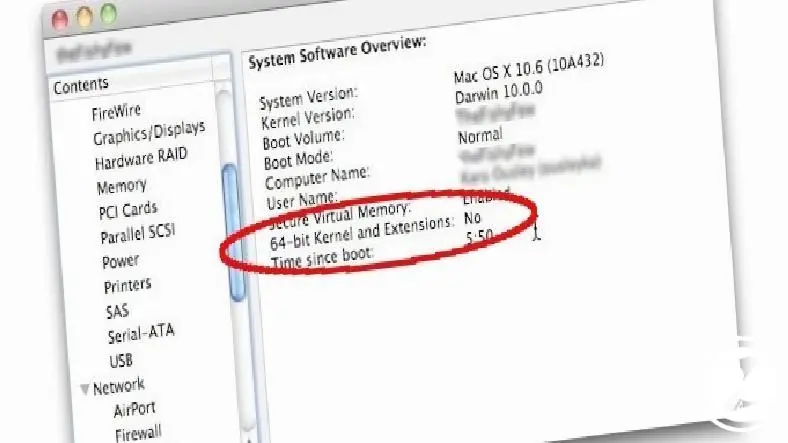
You can easily find out how many bits the processor of your computer with macOS operating system is by following the method above. If If you know the brand and model of your computer's processor You can learn the same information with a short research.
All recently released Mac computers have 64-bit processors. It has an old model If you are not, the processor of your computer with macOS operating system is probably 64 bit. However, you can still choose to use the opportunity to access many different information about your computer by applying the method above.
How to check how many bits a Linux computer has?
- Step #1: Open the Command Prompt screen on your computer.
- Step #2: grep flags /proc/cpuinfo type the command and Enter press.
- Step #3: In command response im Find the line.
- Step #4: You can find out how many bits your computer's processor has through this line.
- Step #5: The process is complete.

You can easily find out how many bits the processor of your computer with Linux operating system is by following the method above. Linux operating system, an operating system that runs on many different computers Before downloading any software or adding hardware to your computer, be sure to follow the above procedure and make sure how many bits your computer's processor has.
Why is it important to know how many bits a computer has?

The processor of your computer with Windows, macOS or Linux operating system You must know how many bits there are It is necessary. Because no matter what software you download to your computer or what hardware you add, you will see two different download options: 32 bit and 64 bit.
If you connect a computer with a 32-bit processor to a computer that requires a 64-bit processor. if you download software or add hardware At best, that software or hardware will not work. At worst, it will affect the basic functions of your computer and cause annoying problems such as the computer shutting down on its own.
The problems in question are generally caused by software that requires a 64-bit processor that is downloaded to a 32-bit processor or software that is added to the computer. Hardware that requires 64 bit processor occurs due to. If your computer is 64 bit, you can run hardware and software that requires a 32 bit processor. However, such a situation may prevent you from using your computer at its full performance.
Considering all these reasons; You need to know how many bits the processor of your computer with Windows, macOS or Linux operating system is and pay attention to the software you download or the hardware you add. Like this your computer in the most efficient way You can use it and prevent possible problems.
for you How to check how many bits a computer has We answered the question and explained step by step the methods you can apply. The file names in the steps of the above methods may vary depending on the operating system version. However, since they will definitely have similar names, you will be able to follow the steps in the same way.
Every business is unique. Let’s explore how we can tailor these ideas to your own digital project.


