
How to Open an ISO File?
When you download a program to your computer from the internet, this file is usually in the form of a RAR file or ISO file. Actually these two…

When you download a program to your computer from the internet, this file is usually in the form of a RAR file or ISO file. Actually these two…
When you download a program to your computer from the internet, this file is usually a RAR file or ISO file It takes the form. In fact, although the functions of these two file formats are similar, ISO is one step ahead when it comes to archiving large-sized programs. For RAR You cannot use the contents of the file without exporting it.
Alright What is an ISO file?? We'll talk about that in a moment, and then Windows 10, Windows 7, Windows Vista, Windows XP and Mac OS in operating systems ISO file We will answer the question of how to open it. ISO file Without further ado, let's move on to our guide where we answer all your questions about the opening process.
What is an ISO file?
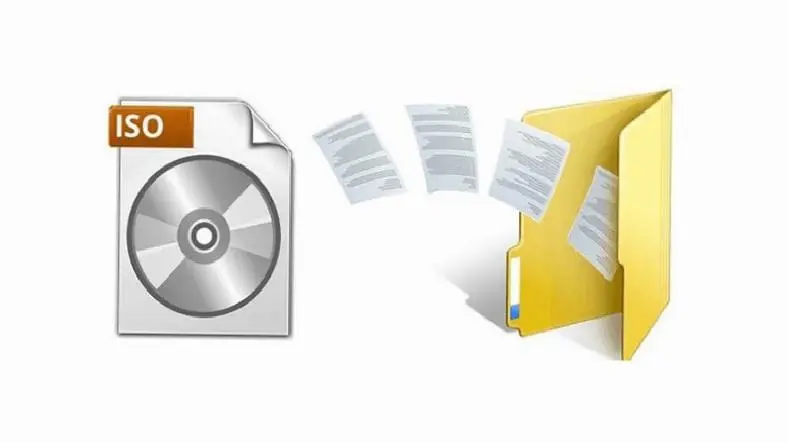
ISO filedocuments written on a CD or DVD in the same way. a virtual disk It is a file format created by overwriting and compressing. You can archive large programs by reducing their size along with the ISO file. The Turkish equivalent of ISO is Virtual Disk ImageStop. In summary, as you can understand from its Turkish name, it is a disk file that does not physically exist.
How to open ISO file?
Opening an ISO file in versions below Windows 10
Older Windows systems such as Windows 7, Windows Vista and Windows XP do not have a built-in virtual disk reading program. ISO file to be able to open 3rd party programs for you need to install it. There are two different methods we recommend to you:
Opening an ISO file with Daemon Tools:
- Step #1: Daemon Tools install it on your computer
- Step #2: Open the ISO file you downloaded right click
- Step #3: Open With hover over the part
- Step #4: In the opened section Select Daemon Tools

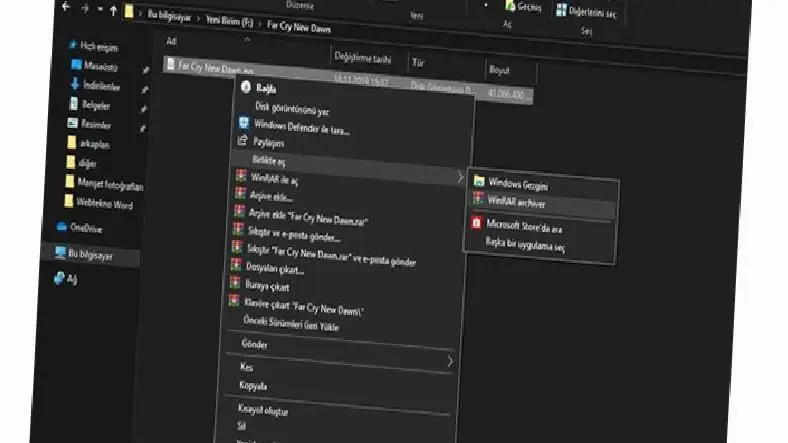
Opening an ISO file with WinRAR:
- Step #1: WinRAR install it on your computer
- Step #2: Create ISO of supported file types when installing WinRAR marking don't forget
- Step #3: To the ISO file right click
- Step #4: Open With Go to the section
- Step #5: In the opened section WinRAR select
- Step #6: In an empty folder you created in the WinRAR file remove
Opening a Windows 10 ISO file
- Step #1: Find the ISO file to folder bride
- Step #2: Extract to ISO file double click
- Step #3: Open an ISO file You have completed the operation.

Windows 10 together with ISO file There is no need to use a 3rd party application to perform the unlocking process. You download it with the virtual disk viewer program built into the Windows 10 system. ISO file You can open it by just double-clicking.
Open a Mac OSX ISO file
- Step #1: The Unarchiver'i App StoreDownload from
- Step #2: Find the ISO file to folder go
- Step #3: To the ISO file by clicking select
- Step #4: Click on the top left of the screen. File Click , a menu will appear
- Step #5: Open With Click on
- Step #6: In the opened section The Unarchiver. app select app
- Step #7: Process Ok
with Macintosh operating system Mac OSXin ISO file The opening process is not very different from Windows. To perform this operation, open the App Store on Mac and click on the necessary information from there. 3rd party program You need to download and install it. What we recommend ISO file opening program The Unarchiver. Let's move on to the how-to part:
Thus a webtekno We have come to the end of the list. Please do not forget to follow our site to be informed about this and many other useful contents and guides covering games, science and general technology problems and to express your thoughts/suggestions in the comments section below :)
Every business is unique. Let’s explore how we can tailor these ideas to your own digital project.


